


Cullman Oktoberfest
0.00.00 Reviews
App Specs
- Version
- 1.0.0
- Updated On
- License
- Free
- Downloads
- 0+
- Developer
- City of Cullman Parks & Recreation
- Categories
- Events
- Platform
- Android
Screenshots
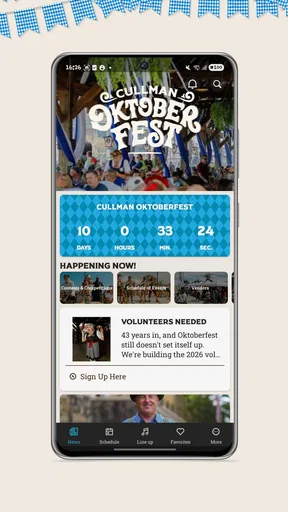
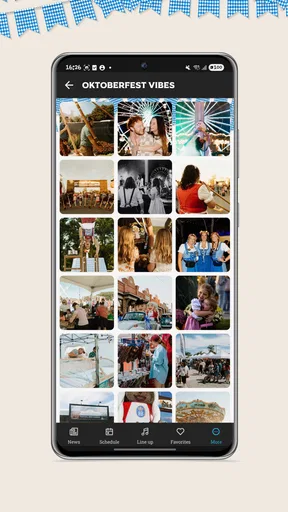
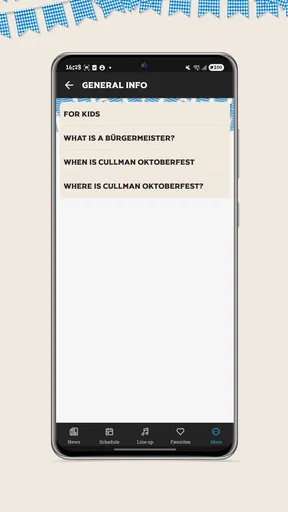
 Analysis by AppCompare
When I plan a day around a local festival, I want one clear place to check what is happening and decide whether it is worth building my schedule around. Cullman Oktoberfest is an events app from City of Cullman Parks & Recreation, made for people interested in Cullman’s German heritage celebration. Its focus is refreshingly specific: rather than trying to cover every event in the area, it is intended to help visitors orient themselves around this particular occasion.
That focus is also the main question to ask before installing it. If you are considering attending Oktoberfest, or helping friends and family plan a visit, a dedicated guide may be more convenient than piecing details together from general search results and social posts. If you are looking for a broad calendar of North Alabama activities, though, this is a much narrower tool. I would judge it by how well it supports a festival visit, not by how many unrelated events it contains.
Who benefits from a festival-specific guide?
I would put this app on the shortlist if the celebration is already part of your plan, especially if you are visiting Cullman for the first time or organizing a day for people with different interests. A local resident who knows the event well may need less help, while someone arranging a visit for relatives may appreciate having one event-centered place to begin. The distinction is simple: it is for planning around this celebration, not for deciding what to do across the region.
There is also a practical reason to try the guide before the day itself. Looking at it when you are relaxed gives you time to notice whether it answers the questions your group actually has, instead of discovering at the last minute that you still need to search elsewhere. I would treat that first look as a quick fit check: if the app helps you turn interest into a workable plan, keep it handy; if not, your usual combination of search, calendar, and messages remains perfectly reasonable.
What I would want from a festival guide
For an event app to be useful, it needs to help answer practical questions at the moment they come up: what should I look for, when should I go, and how can I coordinate with the people I’m meeting? The app’s stated role is to guide people through Cullman Oktoberfest, so that is the lens I would use when deciding whether it belongs on my phone.
A focused guide can be more helpful than a generic events calendar because the information is organized around one destination. That matters when a group is making a plan together: one person may be interested in the heritage celebration, while another mainly wants to know how to fit a visit around other errands or family plans. A dedicated app is most valuable when it reduces that back-and-forth, rather than simply repeating a general description of the festival.
I would also keep expectations realistic. A festival companion is not automatically a ticketing service, a map, or a live update feed just because those tools can be useful at events. I would open Cullman Oktoberfest to see what it actually offers for planning, then use other sources for any task the app does not handle. That simple check avoids relying on a single tool for every part of a busy day.
Worth Reading Before You Choose

Baby Panda World Brings Quick Play to Modern Phones, but Its Game Library Feels Busy

ESPN’s Live Game View Makes Following Close Games Easier

QuizzLand Review: A Good Fit for Short Trivia Breaks, Not Every Player

Basketball Stars: Multiplayer Is Fast, but Can It Recover When Matches Go Wrong?

WEBTOON Turns Phone Updates Into a Better Reading Routine

Link to Windows Runs on Shared Habits, Not Social Feeds
Why its local focus is useful
The app is built specifically around an event in Cullman, which gives it a clearer purpose than a broad social or calendar app. It may suit someone who already knows they want to explore the celebration and would rather start from an event-specific guide than search for each detail separately. The developer, City of Cullman Parks & Recreation, also makes the local connection clear: this is a civic event companion, not a general travel planner.
There is a practical benefit to that narrow scope. If I were inviting relatives who had never been to the festival, I could point them toward one dedicated place to begin their planning instead of sending a string of loosely related searches. Before leaving home, I would check the app, agree on a rough plan, and then share any essential details with the group directly. That last step is sensible for any event: people should not assume everyone has installed the same app or will be checking a phone continuously.
A realistic way to use it on the day
Picture a family deciding whether to make Oktoberfest the main outing or a stop during a day in Cullman. I would use the app before the group commits: first to get oriented to the celebration, then to compare the visit with everyone’s available time and interests. If the group has different priorities, I would settle on a meeting plan in advance rather than expecting the app to solve coordination by itself.
On the day, the useful habit is to check information while you still have time to adjust. A quick look before setting out can help you decide what to prioritize; a second look later can help if the group changes its mind. I would not make a phone the center of the outing, though. For a festival, it is easy to spend more time checking screens than enjoying the atmosphere, so I would use the guide to settle practical questions and then put it away.
Where a dedicated app can beat familiar alternatives
The usual alternatives are a general web search, social media posts, a shared calendar, or simply asking someone who has attended before. Each can work, but they serve different needs. Search is flexible when you have a specific question; social posts can be useful for informal updates; a calendar helps with dates and reminders; and a friend can offer personal context. None is automatically as convenient as a single event-focused starting point.
For this particular celebration, the app’s advantage is its purpose rather than any feature I would assume it has. An event-specific guide can keep a visitor from treating Oktoberfest as just another item in a broad list. That can be especially helpful for newcomers who need a clear entry point. My tip would be to use it as the first stop for event planning, then cross-check any time-sensitive arrangements through the channels you normally trust before traveling.
That workflow is more useful than expecting one app to do everything. A calendar reminder can still handle the commitment, a group chat can keep friends aligned, and a general map can help with the journey. The dedicated guide fits between those tools: it gives the event its own place in the plan. This division of labor is a strength, not a weakness, as long as the app’s actual contents match the questions you need answered.
When another option may suit you better
If you are browsing for things to do across North Alabama, a regional events calendar is likely the better first choice. Cullman Oktoberfest has a sharply defined subject, so it is not a substitute for a broad discovery tool. Likewise, someone who only needs a reminder may find a standard calendar simpler, while a visitor seeking directions or general travel advice will probably need a map or travel resource alongside it.
It may also be the wrong fit if you do not plan to attend the celebration and have no reason to follow it. Installing a single-event app just to keep an otherwise empty home screen organized would be unnecessary. I would also be cautious about relying on it as the only source for a group’s logistics until I have checked the information inside and seen whether it covers the details that matter to that group. A useful guide should support the plan, not replace common sense or direct confirmation.
There is a trade-off in choosing a focused tool: the narrower the subject, the easier it may be to stay oriented, but the less useful it is outside that occasion. That is why I would not compare it with a general event platform by counting how much unrelated content each one has. The fair comparison is whether a visitor to this festival benefits from having a dedicated guide rather than assembling the same context elsewhere.
Installation, cost, and the small switching decision
The app is free, is rated for Everyone, and lists version 1.0.0. It requires Android 9 or later. Those details make the basic decision straightforward for an eligible Android user: there is no purchase price to weigh, but the app still needs to earn its place by being useful for the visit. The install figure is shown as 0+, which is not a meaningful reason by itself to accept or reject a local event guide.
The cost of switching is low if you already use another planning method. You can keep your calendar, group chat, and search habits, and add this app only as an event-specific reference. If it helps you answer the questions you care about, use it alongside those tools; if it does not, you can return to your usual sources without having to rebuild your whole routine. That is a sensible way to evaluate a narrowly focused event app.
For iPhone owners, I would first check the relevant app marketplace for availability rather than assuming the Android requirements apply to iOS. The information here identifies the minimum Android version, so Android users can make a direct compatibility check on their device. Either way, the practical test is the same: does the guide make planning this particular visit clearer than your current approach?
Small planning choices that make the guide more useful
One useful approach is to separate decisions the app may help with from arrangements that should be shared directly. I would use it to get an event-centered overview, then send the group a short message with the agreed meeting point, timing, and a fallback plan. That way, nobody has to keep the app open just to know what the group decided, and a late change is less likely to leave one person out.
I would also avoid treating a single check as a complete plan. If your visit depends on a particular detail, check it close to the time you leave and confirm it through an appropriate current source when necessary. This is not a reason to distrust a dedicated guide; it is a sensible habit for any local event, where individual plans can change. The app is most helpful as a starting point, while the visitor remains responsible for the decisions that affect their own schedule.
For families, a modest plan can be more resilient than trying to organize every minute. Agree on what would make the visit worthwhile for each person, choose a time to regroup, and keep essential arrangements somewhere everyone can access. The app can provide the event-specific context for that conversation, but it cannot know whether a child needs a break or whether one person has to leave early. That human coordination is still the part I would handle outside the guide.
What to check before relying on it
A natural question is whether the guide can replace the other tools involved in a festival day. I would not assume so. Before setting out, I would check whether the app covers the information I need, then keep a map for the journey and a group message for coordination if those are already part of my routine. This avoids a common planning mistake: installing an event app and assuming its purpose means it handles every practical detail.
Another question is whether it is useful for someone who is only considering a visit, rather than already committed. I think it can be, because a focused guide may help a newcomer understand the event well enough to decide whether it suits the group. But if you are comparing several unrelated outings, a regional calendar or general search is a better first stop; this app makes more sense after Oktoberfest has become a serious option.
People also often want to know whether everyone in a group needs to install the same app. I would not make that a condition of the plan. One person can use it to get oriented and relay the relevant details, while the group keeps its decisions in a shared message or calendar. That arrangement reduces friction for anyone who prefers not to install another app and still gives the organizer a dedicated source to consult.
My recommendation for different visitors
I would recommend trying Cullman Oktoberfest if you are planning to attend, are helping someone else prepare for a visit, or want an event-centered place to start rather than a collection of searches. It is most promising for first-time visitors and groups that need to coordinate around one shared destination. Since the app is free, trying it before the outing is a low-commitment way to see whether its guidance fits your planning style.
I would skip it if your needs are broader than this celebration, or if you want a general regional calendar, a dedicated navigation tool, or a simple reminder and already have one that works. Those are different jobs, and a focused festival app should not be expected to replace them. My own approach would be to check the guide before leaving, use it to shape a practical plan, and keep the group’s key arrangements accessible in a shared message or calendar.
Overall, this is a purpose-built option for people considering Cullman’s Oktoberfest, not an all-purpose events app. Its value comes from giving one local celebration a dedicated planning home. If that is exactly the event you are organizing around, it is worth a look; if not, a broader tool will probably serve you better.
Pros
- Free admission makes it easy to stop by without buying a ticket.
- A lively mix of German-inspired food
- drinks
- music
- and festival attractions.
- Family-friendly activities offer more than just evening entertainment.
- The outdoor setting makes it enjoyable to explore the event at your own pace.
- A local community atmosphere gives the festival a distinctive Cullman feel.
Cons
- Crowds can make navigating popular areas difficult during peak hours.
- Outdoor plans may be affected by rain
- heat
- or other weather conditions.
- Food and drinks can add up in cost
- especially for groups.
- Parking and traffic may be challenging near the festival grounds.
- Some attractions and activities may require separate fees.
FAQs for Cullman Oktoberfest
What is Cullman Oktoberfest?
Cullman Oktoberfest is a festival-focused app intended to help visitors keep up with Oktoberfest activities in Cullman, Alabama. Depending on the edition, it may provide details such as event schedules, entertainment, festival locations, news, or visitor information. Festival dates and offerings can change from year to year, so check the app’s current listings and official event information before making plans.
What can I use the Cullman Oktoberfest app for?
The app is designed to make festival information easier to find on a phone, potentially including schedules, attractions, announcements, and practical details for attendees. Available features may vary by release and festival year, and not every listing should be assumed to be up to date. For time-sensitive details such as performance times, closures, or event changes, confirm information through the festival’s official channels.
Is Cullman Oktoberfest free to download, and are there in-app purchases?
The app may be available to download without a purchase, but availability, pricing, and any in-app purchases can differ between the Apple App Store and Google Play or change over time. Check the listing for your device before installing, and review any payment information shown there. Festival admission, food, merchandise, and other on-site activities may have separate costs that are not covered by the app.
Does Cullman Oktoberfest work offline?
Some information saved or loaded previously may remain accessible without an internet connection, but features such as updated schedules, announcements, maps, or external links may require mobile data or Wi-Fi. Offline behavior can depend on the app version and your device. If you expect limited connectivity at the festival, open the app beforehand and save or note any important details you may need.
Is Cullman Oktoberfest available for both Android and iPhone?
Availability depends on the app’s current release and the requirements of each store. Search for Cullman Oktoberfest in Google Play on an Android device or the Apple App Store on an iPhone, and verify the developer, compatibility, and latest update date before downloading. If the app does not appear for your device or region, use the festival’s official website or information channels for event details.


